How to find out who owns a domain
WHOIS privacy hides most registrants, but the record still tells you plenty. When it was registered, when it expires, who the registrar is, and whether it might become available.
How to find out who owns a domain
Usually you can't. That's by design.
But the record around the owner is public, and it answers the questions that actually matter when you're evaluating a name.
RDAP replaced WHOIS
WHOIS was the old protocol. Unstructured text, inconsistent between registries, no authentication. It's been superseded by RDAP, the Registration Data Access Protocol, which returns structured JSON and handles access control properly.
Most lookup tools still say WHOIS because that's what people search for. Underneath they're querying RDAP.
You can query it at rdap.org or through your registrar's lookup tool. Same data, different presentation.
What you get
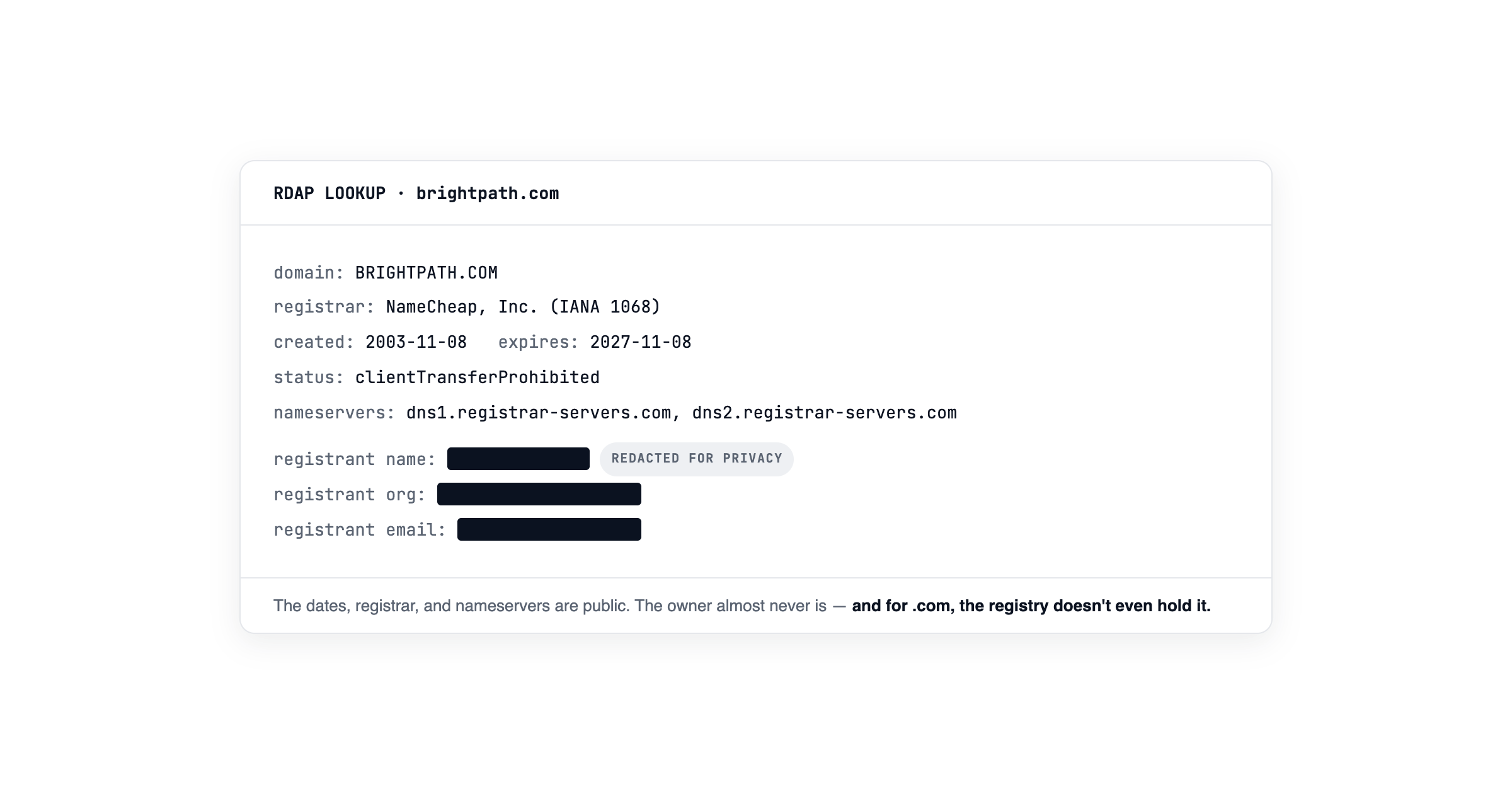
For a typical .com the record returns registration date, expiration date, and when the registry last recorded a change.
It also gives you the registrar with an abuse contact, status codes like clientTransferProhibited that indicate locks and holds, nameservers showing where DNS points, and whether DNSSEC is enabled.
That's a lot. None of it is the owner's name.
Why the registrant is hidden
Two overlapping reasons, plus one that catches people out.
Privacy services. Most registrars offer WHOIS privacy, often free, substituting their own contact details for the registrant's. Several large registrars now do this by default.
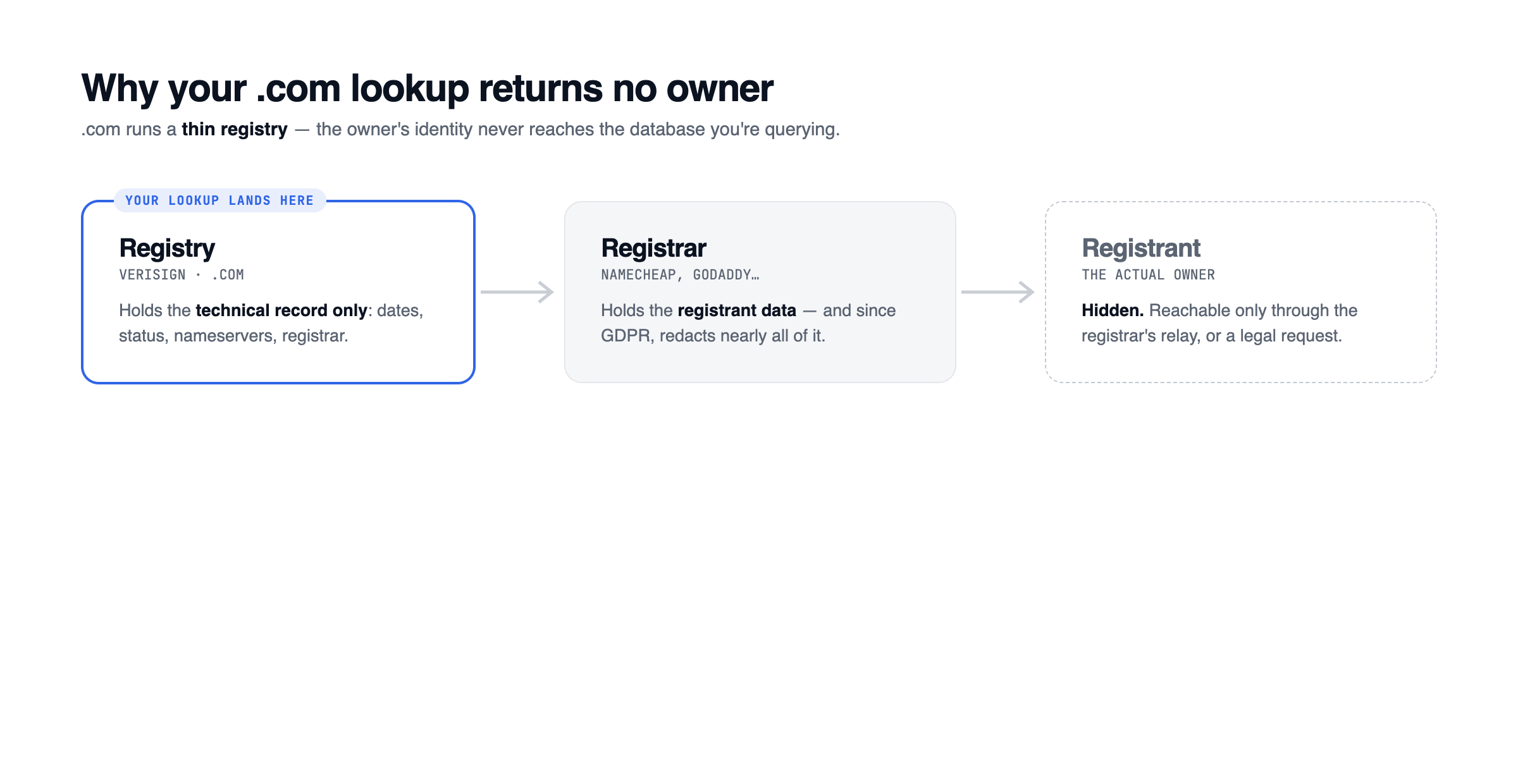
GDPR. After 2018, registries and registrars broadly stopped publishing registrants' personal data regardless of whether privacy was purchased. The technical record is public. Personal data sits behind a request process.
Thin registries. This one is specific to .com and .net. Verisign runs a thin registry, so the .com registry record contains registrar information and no registrant entity at all. Not redacted. Structurally absent.
So if you look up a .com and see no registrant, that isn't privacy you might argue past. There's nothing there.
What the dates tell you
This is where the record earns its keep.
A domain registered fifteen years ago with an active site is a business. Not a squatter, not an opportunity. Move on.
A domain registered last month, parked, at a registrar known for aftermarket sales is someone who may have registered it speculatively. Possibly after seeing search interest in the name.
An expiration date in the next few months matters if you want the name. Domains don't become available the day they expire. There's a renewal grace period, then a redemption period where the owner can recover it at a premium, then pending delete, and only then does it drop. That's usually 75 days or more, and most expiring domains get renewed. But an expiry date is the only public signal that a name might move.
A recent "last changed" date on a domain you own is worth noticing too. Something in the registry record was modified. A renewal, a nameserver change, a transfer, a lock. If you didn't do it, find out who did.
When you actually need the owner
There are routes. They're all slower than a lookup.
The registrar's abuse contact is published in the record. If the domain is being used for phishing, trademark infringement, or impersonation, that's the channel.
The website often identifies its operator in a privacy policy, terms page, or contact details, especially if it's a real business.
UDRP proceedings compel disclosure of registrant details as part of the process, which is why complainants often file against "Registration Private" and learn the name later.
A demand letter through counsel can prompt disclosure in some circumstances.
None of these are worth doing out of curiosity. They're for when you have an actual dispute.
Checking a domain as part of a name decision
If you're evaluating a brand name rather than investigating one domain, ownership is secondary. What you want is which extensions are open, which are taken, and whether the taken ones are real businesses or parked.
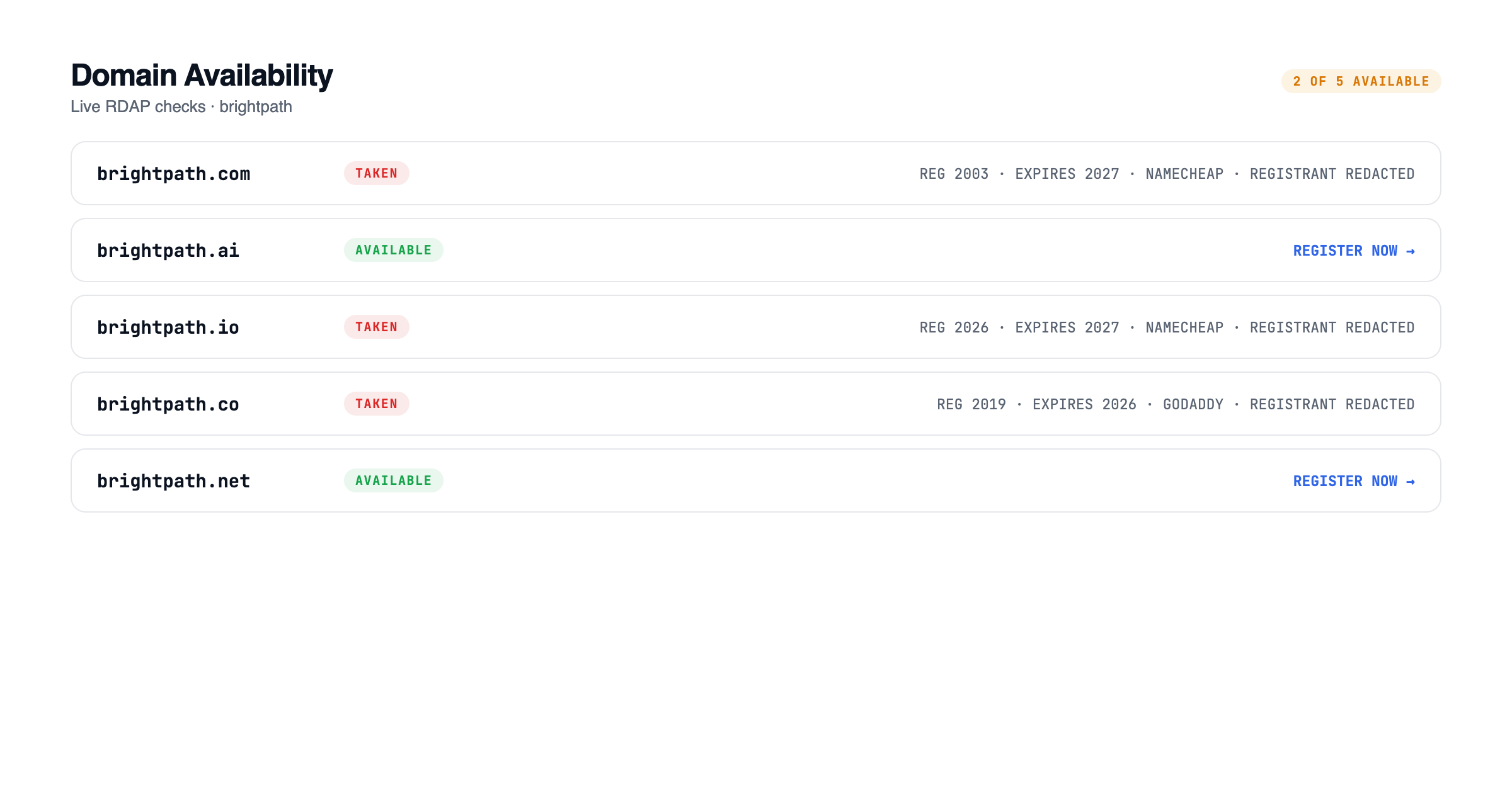
BrandScreen checks .com, .ai, .io, .co, and .app for any name, with registration and expiry detail on the taken ones, alongside trademark matches, entity registrations, social handles, and search competition. Full reports are free.
For a name you already own, Protect watches the registration record weekly and tells you when an expiry approaches or the registry record changes.
Related: How to check if a business name is already registered · How to check if a brand name is available on social media